API clients after March 2026: cloud, Git files, or a Chrome tab
In spring 2026 the old argument came back: where should request collections live. Not because someone invented a prettier Send button, but because a familiar cloud platform shrank its free team to one person, a seat became a line item, and "native Git" was still not the same thing as a .bru folder in the repo. Electron still eats RAM. Paying a foreign SaaS from some countries is still a coin flip.
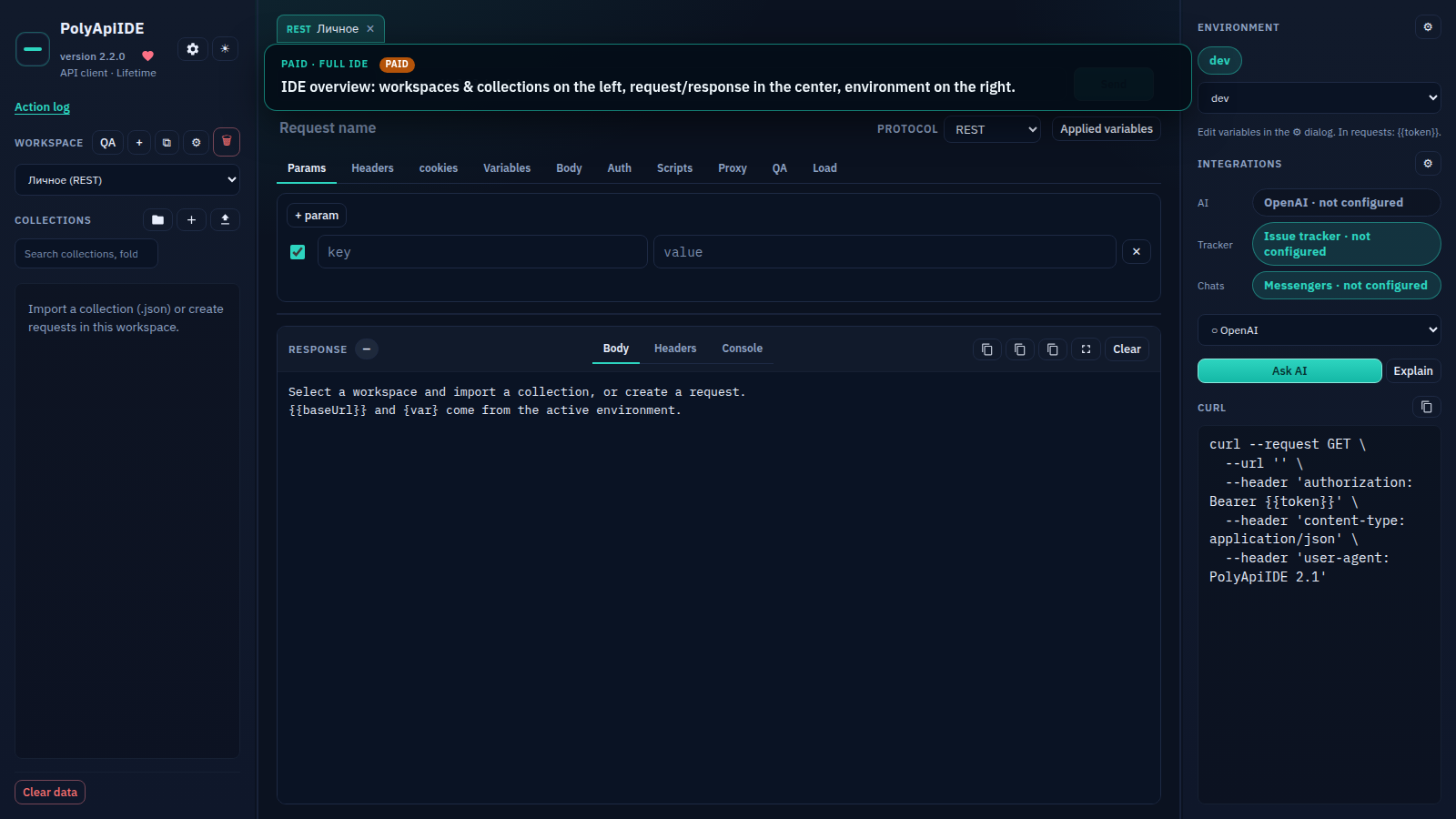
This is a decision frame, not a ranking. I build PolyApiIDE, a Chrome and Firefox extension that fills the "browser, no install" slot directly: full REST/GraphQL/WebSocket/SOAP/gRPC requests, QA scenarios with a report, and import for every popular format — no Electron, no account required to Send. That affiliation is not hiding in a footer; it is stated up front, with a role-by-role breakdown and a slot table below.
Why this is timely
Until March 2026 many teams kept a shared workspace "while it is free" and postponed the storage decision. When the free team went away, the question stopped being theoretical. The options people actually argue about:
- stay on the platform and pay per seat;
- move to a client whose collections are plain Git files;
- move to the browser (a tab or an extension) and skip the desktop install;
- stay in the editor: Thunder Client, REST Client, httpYac.
The news is not "who pretty-prints JSON". It is seat cost plus storage model. A personal scratchpad works in almost any client. A team artifact needs a home you can name in one sentence.
How to choose: three questions
Before the table, three questions. Everything else — themes, mocks, "AI inside the client" — is secondary.
- Where do collections live? Vendor cloud, files in the repo,
chrome.storage/ IndexedDB, a host you run. - Who pays for working together? A seat, a server you operate, or everyone local plus an export exchange.
- Do you need a desktop? Electron is fine until the third window. A browser is already open. An editor is already open if you live in VS Code.
A fourth question if billing or data residency is painful: can you pay the vendor at all, and do you want tokens off the machine. That is an operations question, not a slogan.
A slot table, not a hymn
"Yes" does not mean "perfect" — it means the tool fills that slot. Where PolyApiIDE does not have a feature yet, the cell says what to use today and what is already in progress — the full plan for each item is in a dedicated roadmap post.
| Criterion | Postman | Bruno | Insomnia | Hoppscotch | Thunder | Chrome tab |
|---|---|---|---|---|---|---|
| Storage | Cloud + export | Git files | Cloud / git sync on a plan | Browser, self-host optional | Editor workspace | Extension storage |
| Account to Send | Almost always | No | Often for sync | Not required locally | No | No |
| Git as a repo folder | Native Git — not the same as .bru |
Yes, that is their slot | Partial, plan-gated | Not about files in a PR | Next to the code | Not yet — on the roadmap; collection patch export/apply is available today |
| CLI / CI | Newman | bru |
Has a CLI line | Weaker than desktops | Via editor tasks | Not yet — on the roadmap; a manual runner with iterations and CSV/JSON data exists today |
| Browser, no install | No, desktop/Electron | No, desktop | No, desktop | Yes — web app and an extension for CORS | No, that is VS Code | Yes — our native slot, zero install, zero account to Send |
| QA report / ticket | Not out of the box | Not out of the box | Plugins | Weak | Weak | PDF report with scenarios and tracker/messenger integration on the paid plan |
| Paying from Russia | Often painful | Core is free | Card / account | OSS / self-host | Editor marketplace | Site checkout, YooMoney, no foreign card needed |
Hoppscotch is a neighbour in the "browser" cell, not a Bruno competitor. Thunder is a neighbour in the "editor already open" cell, not a Chrome extension. Lumping them into one "Postman alternatives" column is a common review mistake.
If you are QA
You usually do not need "every protocol in the world" — you need a repeatable run, negative cases, an attachment on the bug, and a way to show a developer exactly what went out. A platform with monitors covers "check every night in the cloud". Bruno covers "the collection lives in the same PR as the feature". PolyApiIDE covers "opened the browser, ran the scenario, attached a PDF report to the ticket" — without a second 600 MB window and without a separate test-automation stand.
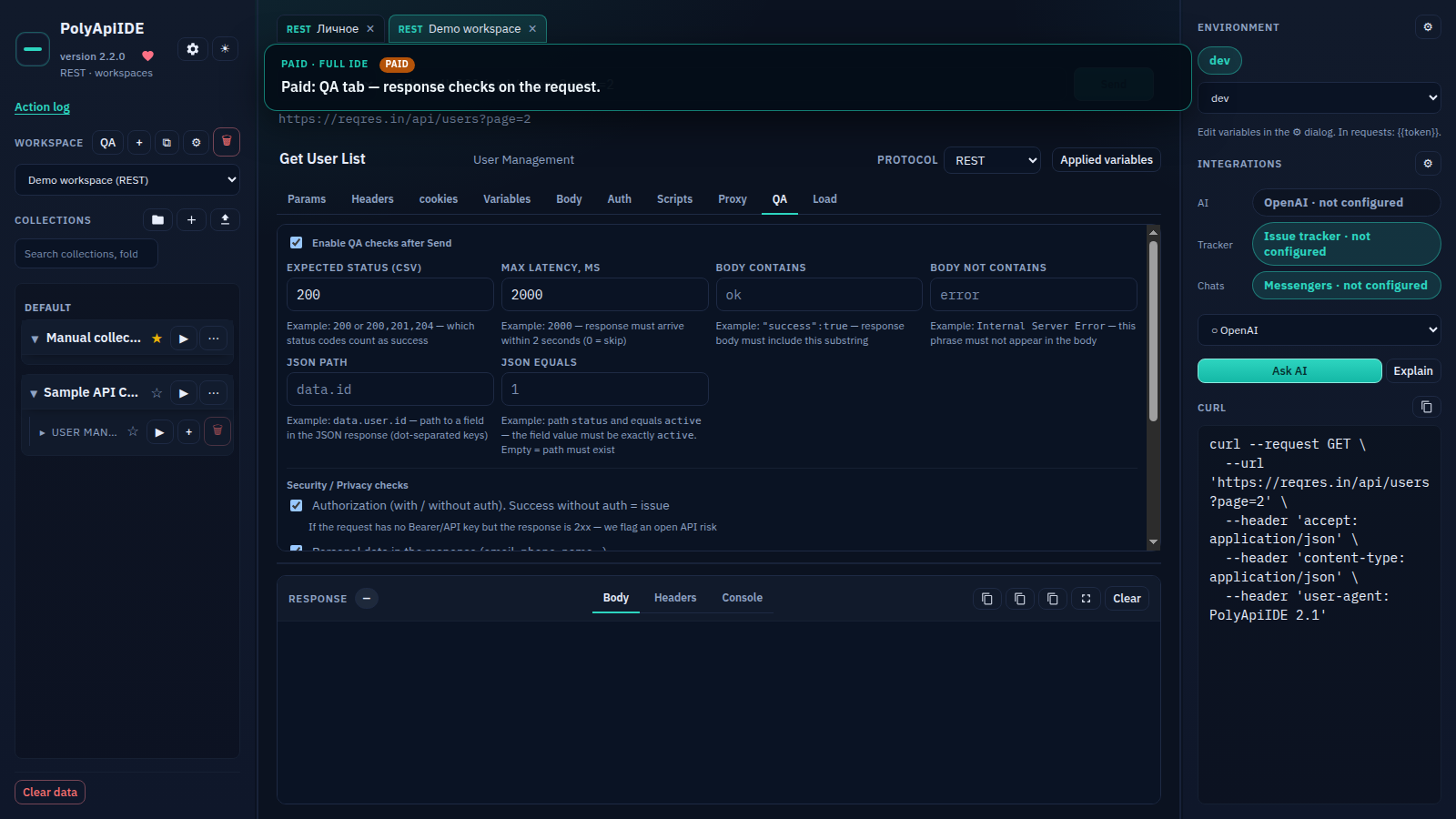
Concretely: on a single request, right after Send, you can check status, latency, a body-contains match, a JSON-path value, fields that look like personal data, and 5xx codes — with no separate "set up a test" step. At the workspace level that becomes a scenario: a chain of steps branching on response status, negative variants generated automatically, and at the end of a run a PDF report exports with Authorization and Content-Type headers included — something you can actually attach to a ticket, not a console screenshot. The collection or folder runner supports iterations, a delay between steps, a CSV or JSON data file, and stop-on-first-error — a real functional run at the press of one button, not "pressed Send ten times by hand".
Where a CLI is mandatory: regression in a pipeline, nightly races, "a green check in GitLab". Then look at Newman, bru, k6, pytest, RestAssured — not a UI. We do not claim that slot: PolyApiIDE has no windowless runner. If a job posting says "SDET, collections in CI", get a tool with a CLI, not an extension.
Where a UI is honestly useful: exploring someone else's API, onboarding an intern, attaching a PDF or a run snapshot to YouTrack / Jira — the tracker and messenger integration can send a bug straight from the tab, without copying the request body into an email by hand. That is a narrow slot. It does not replace a pipeline.
If you are a developer
Different criteria: startup speed, scripts next to the code, OAuth "like in prod", OpenAPI import so you are not clicking a hundred methods by hand. Bruno and editor clients feel natural here: the collection lives next to the branch. A cloud platform feels natural if you need mocks, portal documentation, and a team spread across the world.
Without plugins, available auth types are Bearer, Basic, API key, OAuth2 (by pasting a ready token, not a full redirect dance), JWT, Digest, and AWS signing — enough for most internal APIs and half of public ones, but not a replacement for a desktop client with full PKCE. Variables inherit through the chain request → collection → space → environment, and an empty value at the top level does not overwrite what is set below — that is the exact import bug that trips up half of new users in any client. Pre-request and after-response scripts run in a sandbox with a console right inside the IDE, with no separate runner step.
pm.* scripts are a trap of their own. A team moves "to something similar" and finds the sandbox is different. Bruno has its own language. On Free we have a compatible pm / poly layer with autocomplete in the editor — handy for porting tests from Postman, but not a promise of a one-to-one match for the entire ecosystem.
OAuth: if you need PKCE, device flow, and token refresh without copy-pasting, look at desktop clients today, or wait for our release — that pair is already on the roadmap. Pasting a ready token works right now.
Team mode: how the extension gets used by more than one person
PolyApiIDE does not yet have a dedicated team mode with a shared realtime workspace where you see a colleague's cursor — that is planned, see the roadmap post for details. But teams already work together today through a set of concrete tools on the paid plan, with no shared server and no per-seat price:
- Collection and section patches. A specific change — a new header, a fixed path, an added check — exports as a patch file and applies to a colleague's collection, with conflicts highlighted before applying. That is closer to "a diff for one request" than resending an entire collection.
- Environment inheritance. Values flow down the chain request → collection → space → environment. Keep the shared part — base URL, common headers — at the space level and share it with the team, while personal tokens stay in each person's own environment without overwriting what is set above.
- Up to five active sessions per key (Month/Year/Lifetime). Install the extension on a work and a personal laptop, or give a couple of teammates access on a small team, without buying a separate license for each person.
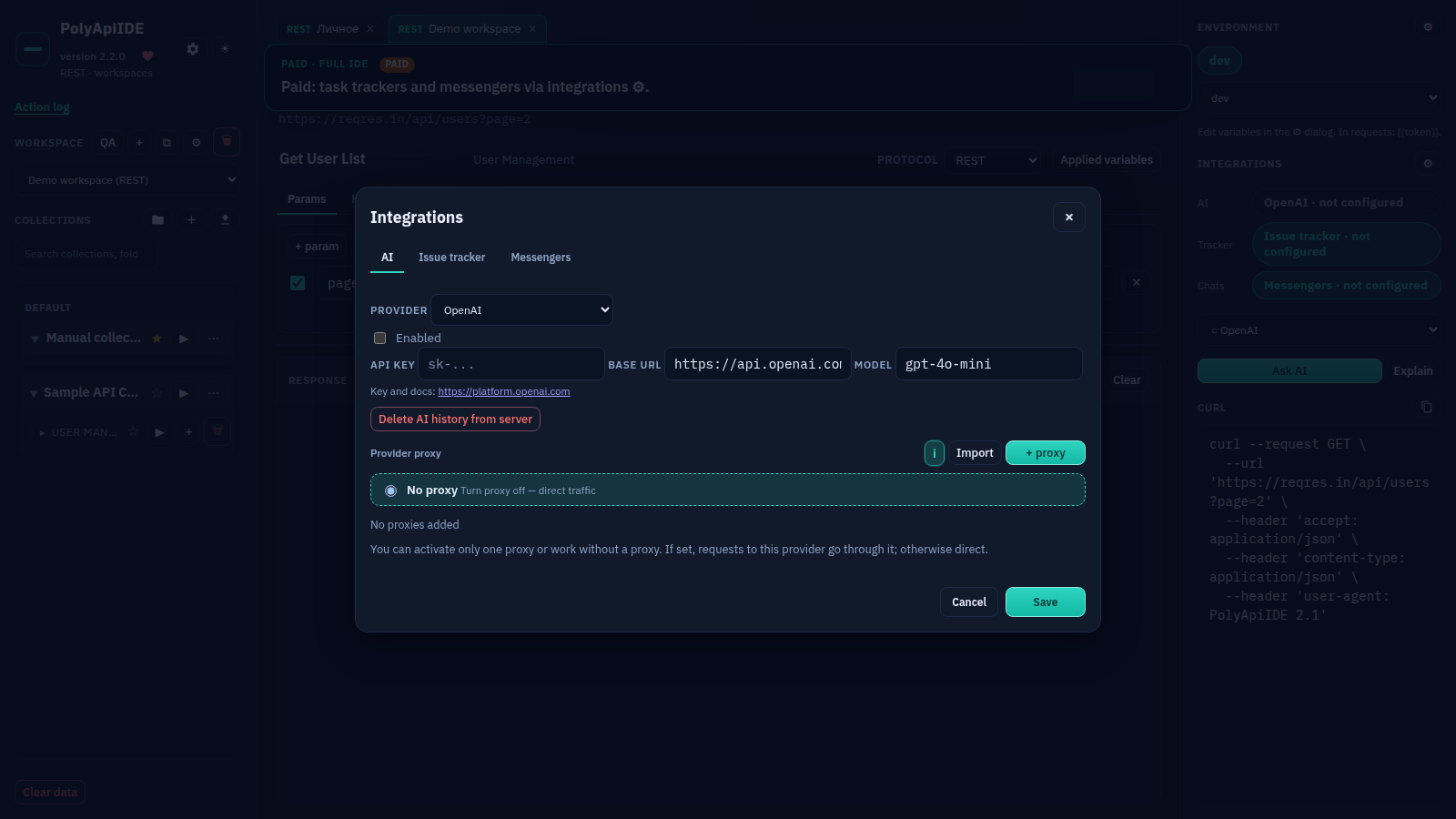
- Tracker and messenger integration. Found a bug while testing — send it straight to Jira/YouTrack or Slack/Telegram from the tab, with the request body and response attached automatically, no manual copy-paste into a separate window.
- Backup as a way to hand off configuration. A local snapshot to disk, a manual cloud backup, or an emailed copy — including secrets, if the channel is trusted — can be sent to a teammate as a starting point for their own environment.
If you are DevOps
Short version: check the CLI and the file format. A Chrome tab is not a delivery tool. Claiming "we are for DevOps" with no CI runner is lying in the comments ahead of time. If your job is running a contract in a pipeline and keeping the collection as code, get Bruno, Newman, or a test framework instead of a client.
The one thing that genuinely helps a DevOps engineer inside the extension itself is exporting load-run metrics to JSON, CSV, OpenMetrics, Influx, Grafana, or via Pushgateway: you can run one manual pass and pull the numbers into an existing dashboard without standing up a separate service for a one-off check. That is not a replacement for continuous monitoring — it is a way to skip spinning up k6 for one ramp-up profile before a release.
Import: what breaks on the move
Exporting a collection is not a migration. Typical surprises I have seen, in other people's setups and my own:
pm.environment/pm.sendRequestscripts behave differently or are missing;- environments and secrets travel as a separate file, and someone commits a token;
- path variables and extra slashes;
- mocks, monitors, and pretty descriptions stay on the platform — they were never "the collection".
On Free, we read OpenAPI/Swagger, WSDL, GraphQL SDL and introspection, .proto, AsyncAPI, Postman Collection v2.1 together with its Environment, plain curl, Insomnia, Hoppscotch, and Thunder at no extra charge — sample files for each format live at /en/examples, worth checking before a real move. I will not promise one-click perfection: after importing, open two or three critical requests and run them before you tell the team you have moved.
Money and data
A foreign SaaS seat after spring 2026 is also "will the card clear". A free local client removes that question. A site that bills in Russia removes it another way — for us that means checkout on the site via YooMoney, either a one-time Lifetime payment or a recurring Month/Year.
On data and limits: with the extension, requests and collections live in the browser. Vendor cloud is not required to Send. Server backup is a separate, opt-in choice in settings: you can make a local snapshot to disk, turn on manual cloud backup, or ask for a copy by email, including secrets if the channel is trusted — none of those is a condition for the button to work. Free allows up to two active IDE sessions at once, the demo allows one, paid plans allow up to five per key — enough for personal devices and a small team, and a shared realtime workspace with live teammate cursors is on the roadmap as the next step after the sharing tools that already exist.
If you found this from an English thread: paid licenses are billed in Russia. The Free tier does not need that. Do not put a payment brand in a comparison title.
Take X if
- Postman — you want the platform: monitors, mocks, a portal, a large team, and you will pay for a seat.
- Bruno — collections must live in Git and go through review like code. That is the "we left the cloud for the repo" slot.
- Insomnia — protocols and plugins matter, and you already live there; re-check the current git-sync plan and any new MCP claims instead of last year's recap.
- Hoppscotch — you want a web client, preferably on a host you run, and you accept "web app" rather than "files in a PR".
- Thunder Client / REST Client — you never leave VS Code and the collection can live next to the repo in the editor.
- A Chrome tab, including PolyApiIDE — you do not want a desktop install or an account just to Send, and you want QA scenarios with a PDF report, extension-level CORS bypass, import for every popular format out of the box, and a site checkout. That is our slot, and in it we cover more than "one more browser REST client".
What is already in progress
A Git folder on disk, a CLI for CI, an MCP server for an editor agent, a full PKCE OAuth dance, and native binary gRPC are all on the PolyApiIDE roadmap — we are working through them by priority. What exists today in what form, and what lands next, is in a dedicated roadmap post. Comparison with other Chrome extensions, not desktops: here.
Ten minutes
Install from the Chrome Web Store or open the quick start. Import one collection, set one variable, press Send. Firefox uses the same codebase, not a second product.
Purchase and demo live on the site, not inside the extension window. Free does not ask for an account. Prices stay on the site: they change, this article lasts longer.
If the three questions above point at Git-in-the-repo, install Bruno, not us. If they point at a pipeline, install a CLI. If they point at a browser tab with an honest hole list — that is our slot.
The author builds PolyApiIDE. That is stated in the articles, not hidden in a footer.